Cards rarely come back empty. A card shot on Tuesday gets topped up on Thursday, and copying the whole thing again costs an hour you did not owe. Since version 0.6.35, Stow can recognise a card it has offloaded before and offer to copy only the files that are new - as long as you have switched the offload log on.
Switch on the offload log
In Settings, under Offload: Remember what was copied (the setup wizard calls it Keep an offload log on the card). With it on, after each verified offload Stow writes one small readable text file to the card recording what was copied, when, and where to. Plug that card into any computer and its history travels with it - which is exactly what lets a second machine, one that has never seen the card, offer to skip what the first machine already copied.
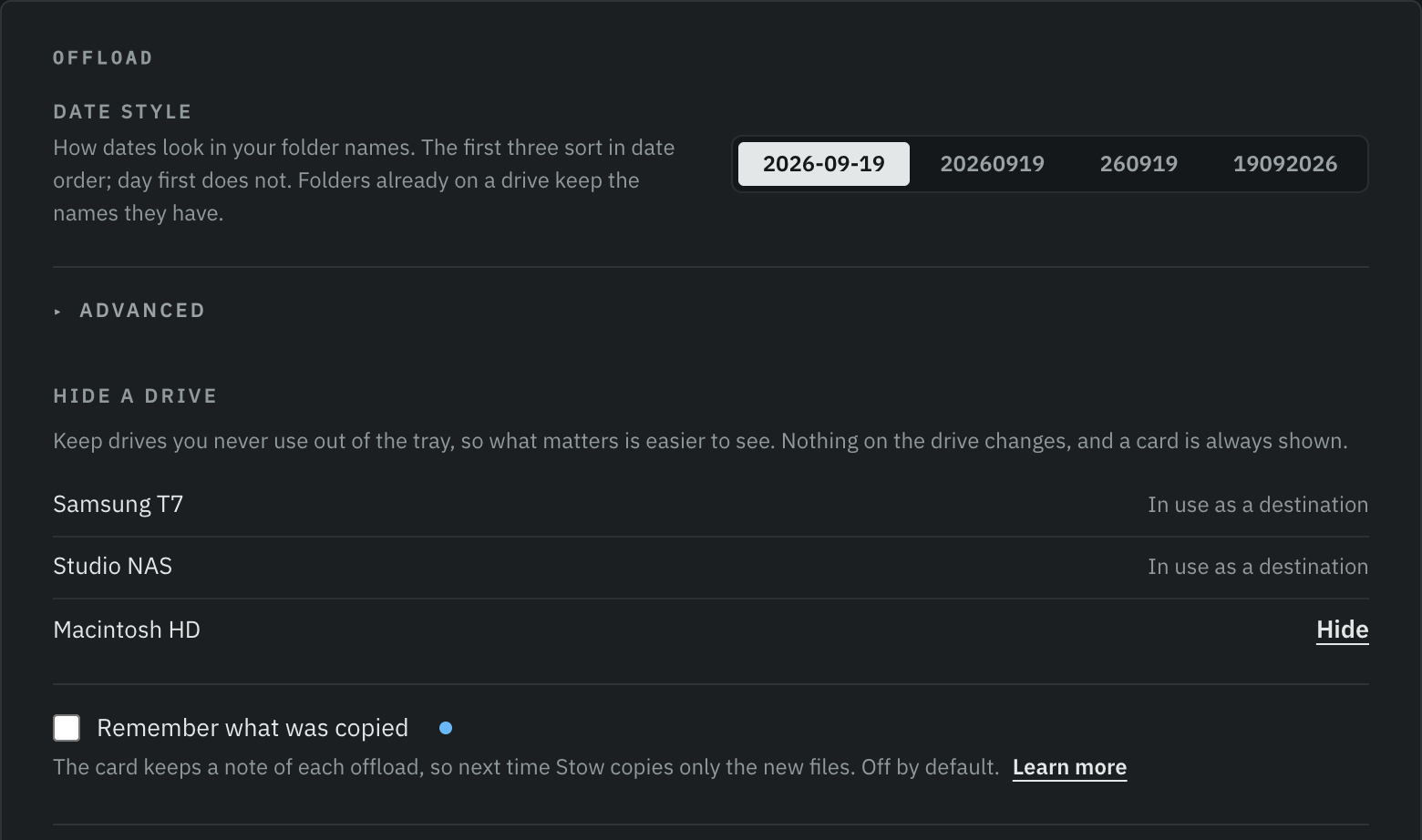
The setup wizard offers the same switch on first launch:
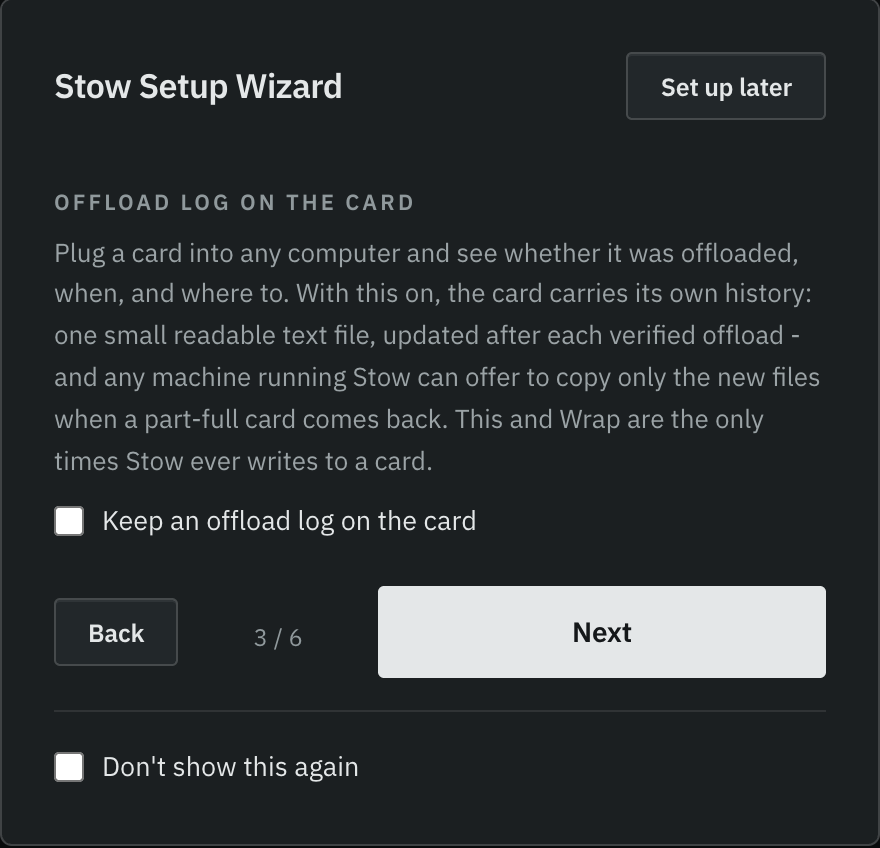
The offer
Press Start copying with a card Stow recognises in the queue, and before anything copies you get the numbers and a choice:

It asks every run and remembers nothing - there is no sticky setting quietly skipping files behind your back. A card the log fully accounts for says so before the run starts, so re-offloading a finished card by accident becomes a choice rather than a wait.
What it never claims
The log records that a copy was made; it cannot know that the copy still exists on a drive somewhere today. So the offer is exactly that - an offer - and a run that skipped files reports only on what it copied and verified this time. It never marks the card safe to format and never offers Wrap. Those verdicts still need a run that has checked the whole card.
When there is no offer. A card with no log gets a full copy, and so does a card whose log does not match what is actually on it - some cameras reuse a card's identity when they format it, so Stow checks the card's real contents before trusting anything. Anything the log cannot vouch for is copied. Copying too much is always the safe direction.
Stow is free for macOS and Windows. If you have not tried it yet, the download is here.