Comparison

OffShoot alternatives: what to use instead, and when to stay

What the other offloaders cost in November 2026, what each is for, and where a free tool is enough.

Blog post5 min read

OffShoot is a good offloader. It is Hedge's app, it runs on Mac and Windows, and plenty of crews have used it for years without a second thought. People look for an alternative for ordinary reasons: the price of a licence for a handful of shoots a year, a feature that sits in the Pro tier, or simply wanting to know what else is out there before the trial runs out.

We're Lumira Studio, a UK video production company, and we make Stow, one of the tools below, so read this knowing that. Every price and feature here was checked on the vendor's own site on 1 November 2026.

OffShoot alternatives at a glance

ToolPrice, as publishedPlatformsThe honest fit
OffShoot$169, or $249 ProMac, WindowsPolished dedicated offloader; Pro adds ASC MHL, Codex engines, S3 and scripting
ShotPut Pro$169 one-offMac, WindowsLong-standing dedicated offloader with detailed PDF, TXT and CSV reports
Silverstack XT899 USD a yearMacA full DIT and media-management suite, far more than offloading
Resolve Clone ToolFree, inside ResolveMac, Win, LinuxChecksum-verified cloning, if you already live in Resolve
Tusk$79 ($49 launch)MacNewer one-off offloader that also copies to cloud storage
StowFreeApple Silicon Mac, WindowsCopies a card to two or more drives at once, verifies every file, one verdict per card

Pomfort's store shows its price in the visitor's region: 899 USD a year on the US store, 799 EUR in Europe. The others list US dollars.

OffShoot, fairly

The standard licence is $169 and Pro is $249. Both are perpetual and include a year of updates, and there is a fully working 10-day trial. The standard tier already verifies the source and every destination, queues jobs, resumes a stopped copy, detects duplicates, renames files and keeps presets. Pro adds ASC MHL, Codex copy engines, S3 destinations, an ingest browser, the API and scripting. Version 26.3 came out on 29 September 2026 with an LTO-archiving hand-off through Canister.

If you need a paid offloader on both Mac and Windows, it is one of the strongest choices, and nothing below is a reason to leave it if it already suits you.
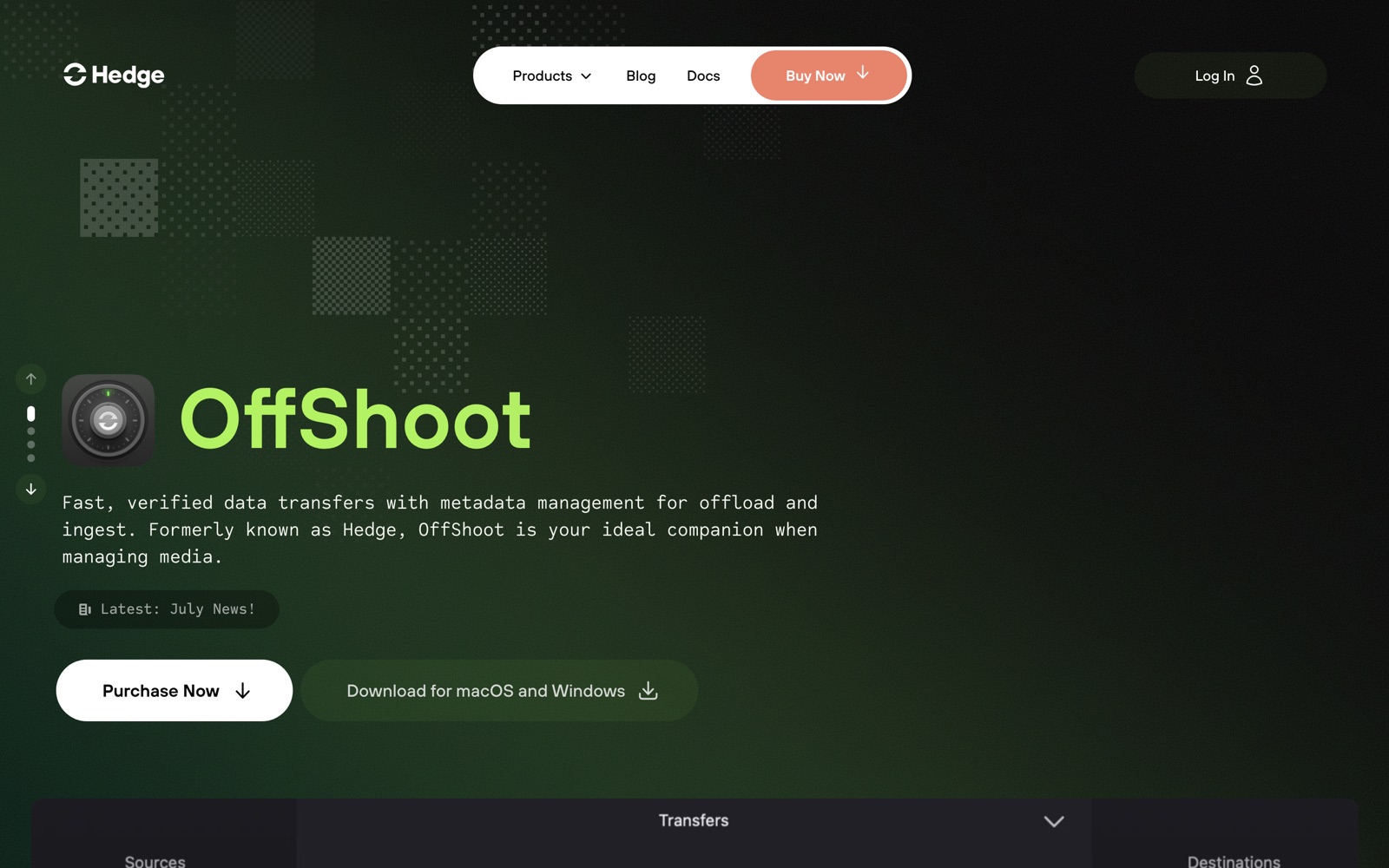
Hedge's OffShoot page: fast, verified data transfers with metadata management for offload and ingest, with downloads for macOS and Windows.

OffShoot's own page, August 2026.

If it is one job, rent it

Hedge rents OffShoot Pro for 30 days at $49. If you need OffShoot for a single production, a rental is the cheapest way to have the full tool for it, and nobody should feel they have to change software for one shoot.

Paid alternatives: ShotPut Pro, Silverstack and Tusk

ShotPut Pro is the other long-standing dedicated offloader. It is $169 as a perpetual licence, a 30-day rental is $60, and update coverage after the first year is $59 a year. The demo allows ten offloads in thirty days. It writes ASC MHL seals and its reports come out as PDF, TXT or CSV. If your post house or production office expects its reports, buy it.

Silverstack XT is a different kind of tool: a full DIT and media-management suite with a clip library, playback and QC, reports and RAW processing. It is a yearly subscription (899 USD on the US store, 799 EUR in Europe) or a temporary licence from 10 days, and projects go read-only when the licence ends. If what you need is cards safely onto drives, it is more tool than the job. If you run a DIT cart, that wider scope is the point.

Tusk is a newer one-off offloader: $79 ($49 launch price), Mac only, with BLAKE3 checksums. It can copy to cloud storage such as Backblaze B2, S3 and Google Drive as well as drives, and it will not let you delete the card until every destination has verified. There is a 14-day trial.

Free alternatives: Resolve's Clone Tool and Stow

Resolve's Clone Tool is a proper on-set option. Blackmagic built it to clone cards and mags with checksum verification such as XXHash64, to several destinations at the same time. The trade-off is only that it lives inside a large editing application rather than being a small dedicated offloader.

Stow is ours. We built it around our own offload routine and made it free, with no trial and no account. It copies a card to every drive you pick at the same time, reads every file back off each drive and compares it with the card, writes an ASC MHL v2 manifest and a one-page report onto each drive, and gives each card one answer: safe to format, or not yet. Safe to format means two verified copies on separate drives. It runs on Windows and on Apple Silicon Macs.

What it does not do: no cloud destinations, no S3, no LTO, no scripting, no clip library or colour. If those are part of your workflow, or a production asks for a particular offloader, stay with what you have.

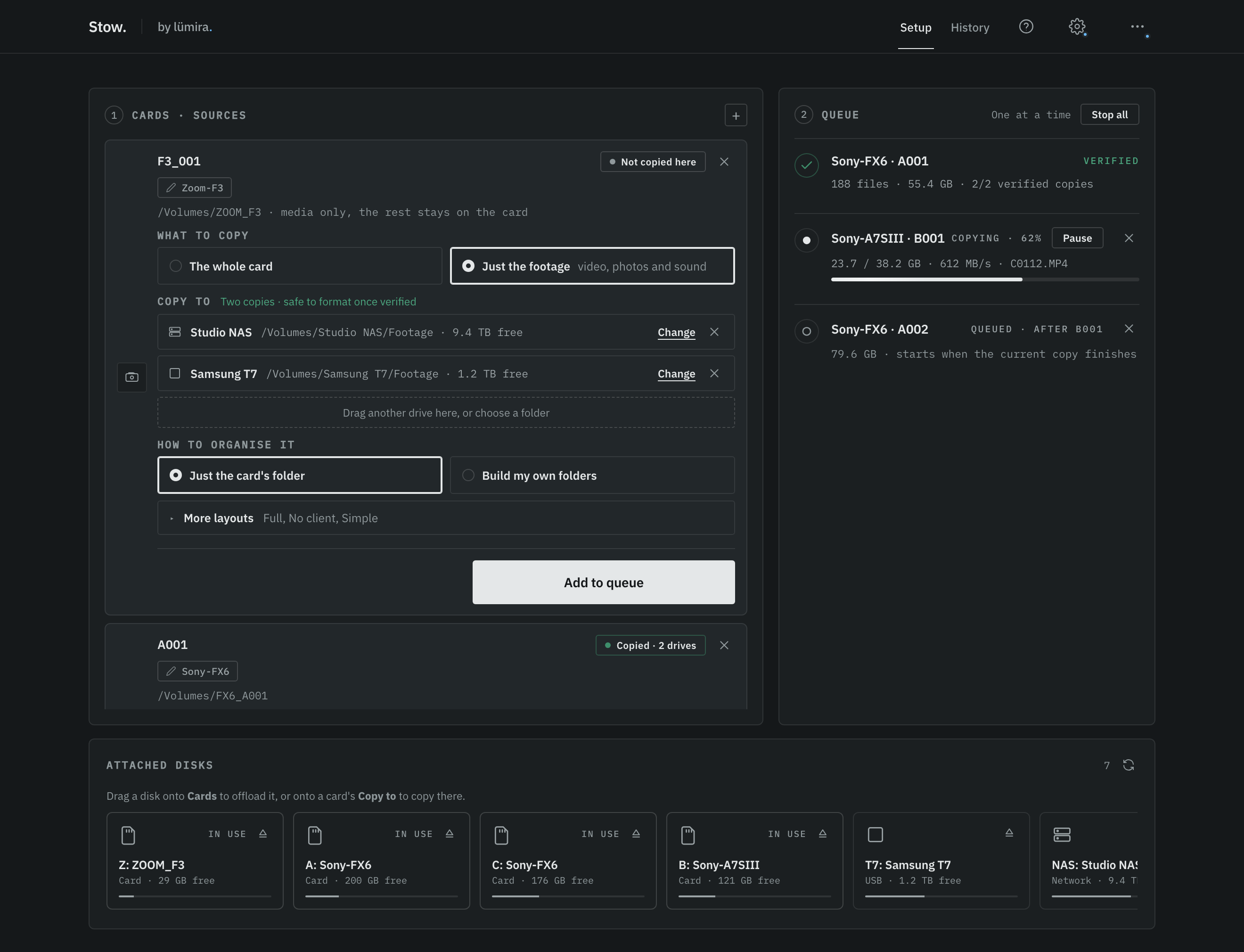
Stow's main screen: the A7S III card copying in the queue on the right, while the Zoom F3 card is set up on the left to copy to a Studio NAS and a Samsung T7, with its Add to queue button.

Stow: drag a card in, choose its drives, add it to the queue, press Start.

If you switch

On the next shoot the routine barely changes: card in, drives chosen, copy, verify. What changes is the paperwork. Instead of OffShoot's reports you get Stow's one-page report and an ASC MHL v2 manifest on each drive, and one answer per card. If your post house or production office asks for OffShoot or ShotPut Pro reports, keep that tool for those jobs.

Questions people ask

Is OffShoot free? No. OffShoot is $169 and OffShoot Pro is $249, both perpetual with a year of updates. There is a fully working 10-day trial and a 30-day rental of OffShoot Pro for $49.

Is OffShoot the same as Hedge? Yes. Hedge is the company; OffShoot is its offload app.

Does OffShoot write ASC MHL? Hedge lists ASC MHL as an OffShoot Pro feature, the $249 tier.

Is there a free alternative to OffShoot? Yes. Resolve's Clone Tool if you already work in Resolve, and Stow if you would rather have a small standalone app on an Apple Silicon Mac or Windows that copies to two or more drives at once and verifies every file.

Should I switch from OffShoot if it already works for me? Not for the sake of it. If OffShoot fits your shoots and your post house is happy with its reports, keep it. A change makes sense if you pay for a licence you use a few times a year, or if all you need is verified copies on two or more drives.

Can I use Stow instead of OffShoot for a two-drive backup? Yes. Stow copies a card to two or more drives at the same time, reads every file back off each drive and compares it with the card, and marks the card safe to format once there are two verified copies on separate drives. It writes an ASC MHL v2 manifest and a one-page report onto each drive.

The short version: stay with OffShoot, or rent it for a single job, if it already fits. Buy ShotPut Pro if your productions expect its reports, and Silverstack if you need a DIT suite. If you need verified copies to several drives and a clear answer on each card, free options exist: Resolve's Clone Tool and Stow.

Sources, read 1 November 2026

We make Stow, and it appears in this comparison. Every price above comes from the vendor's own published page on the day of writing, and we have tried to be as fair to their tools as to ours. If something here has gone out of date, tell us and we will correct it.

Stow: a free offloader for Mac and Windows

Copies a card to two or more drives at once, verifies every file, and tells you when it is safe to format. Apple Silicon Macs and Windows.

Get Stow

Help shape Stow

Hear when Stow gets better

A short note when there is a version worth having, with what changed and why. Reply to any of them and it comes straight to me.

One email to confirm your address. Unsubscribe any time.