31st October 2023
Last updated: 24 August 2026 · By Luke Lv, Director, Lumira Studio
B-roll is the supporting footage cut into a video alongside the primary shots (the “A-roll”) of subjects speaking, demonstrating, or appearing on camera. Done well, B-roll makes a piece breathe, illustrates points, and gives the editor flexibility. Done poorly, it is generic stock footage that signals “we did not film this properly”. The strongest B-roll is captured at the same shoot as the primary footage, motivated by the script, and used with restraint.
What B-roll actually is
In modern video production, B-roll covers any footage that is not the main subject speaking or directly featuring in the primary shot. Common categories:
- Environmental footage. The location, the workspace, the city, the surroundings.
- Subject in action. The interview subject doing their work, moving through their space, engaging with colleagues.
- Detail shots. Close-ups of products, equipment, hands at work, screens, documents.
- Cutaway shots. Reactions, listeners, audience, ambient activity.
- Establishing shots. Wide shots that set up where the action is happening.
Why is it called B-roll?
B-roll takes its name from editing systems that ran footage from two sources, labelled A and B. The modern meaning comes from the tape era, when the B deck held the supporting footage.
The film version came first. In 16mm editing, shots were alternated between two synchronised rolls, A and B, in a checkerboard pattern, so the joins would not show when the print was exposed. When linear video editing arrived in the 1980s, the labels moved to the tape decks. The A deck carried the main action, usually with the sound. The B deck ran the cutaways and supporting footage. Both systems are long obsolete, and the name carried on.
What is the difference between A-roll and B-roll?
A-roll is the primary footage that carries the story, such as an interview, a presenter, or the main action with its sound. An interview-led A-roll is what most people mean by a talking head video. B-roll is the supporting footage placed over or between those shots.
In an interview-led edit, the A-roll usually goes down first, because it sets the length and order of everything else, and the B-roll is then placed over it. Other kinds of film work differently, and the same shot can serve either role. A wide of a production line is B-roll under an interview, and A-roll in an observational film.
| Footage | Usually |
|---|---|
| Interview answer carrying the story | A-roll |
| Presenter speaking to camera | A-roll |
| Workplace details shown over an interview | B-roll |
| Cutaways covering an edit point | B-roll |
Why B-roll matters
Three jobs B-roll does in an edit:
1. Hides cuts in interview footage
When an interview answer needs to be shortened in the edit, cutting two parts of the same answer together produces a visible jump cut. Cutting away to B-roll for a few seconds bridges the cut invisibly. Without enough B-roll, the editor cannot tighten the interview without showing the seams.
2. Illustrates what the subject is talking about
If the subject mentions their factory, the edit can cut to footage of the factory. If they describe a process, the edit can show that process. B-roll turns abstract description into visible reality.
3. Gives the cut rhythm and breathing room
A long stretch of talking-head footage feels static. Cutting away to B-roll provides visual variety and rhythm. The viewer’s attention recovers across the breaks.
How much B-roll do you need?
The default rule of thumb in documentary and corporate work: capture at least 5x as much B-roll as you expect to use in the final cut. For a 3-minute video that uses 90 seconds of B-roll, plan to capture 7-8 minutes of varied B-roll material.
The reason for the ratio: not every shot will work in the edit. Lighting may shift mid-shoot. Subject focus will vary. Some shots will not match the dialogue they are supposed to support. Surplus is not waste; it is necessary slack.
How to capture good B-roll
Plan B-roll into the shoot list
Do not treat B-roll as “we will grab some at the end if we have time”. Schedule it as its own shoot category, with specific shots listed and timed into the day. The most useful B-roll is anchored to specific moments in the script: when the subject mentions X, cut to Y.
Vary the framing
For each subject area, capture wide, medium, and tight shots. Different framings cut together more naturally than three identical wides.
Capture motion
Static shots are useful but limited. Footage with movement (subject walking, hands working, environmental motion) gives the edit more energy and works better as cutaway material.
Get sound where useful
B-roll with sound (ambient noise, machinery, voices in the background) is more flexible in the edit than silent B-roll. Even if the dialogue track will not use it, the ambient sound can be layered as texture.
Capture room tone at every location
Thirty seconds of “silent” ambient sound at every B-roll location. Used as audio bed in post.
Editing B-roll into the cut
Three editing disciplines that compound:
- Cut B-roll for two reasons only. To illustrate what the subject is saying, or to bridge a cut in interview footage. B-roll without one of these jobs is decoration.
- Hold B-roll long enough to register. 2-4 seconds is the comfortable range. Less feels rushed; more starts to feel slow.
- Use J-cuts and L-cuts to layer audio and B-roll. The interview audio continues underneath the B-roll picture. The viewer hears the subject explaining while seeing what they describe.
What is B-roll in social media?
B-roll in social media is the supporting footage used over a voiceover, interview or main clip in a short social video, and it can carry much of the edit.
Vertical framing is the practical difference. Shots composed for landscape often keep the subject or the action near the edges of frame, which is exactly what a vertical crop removes, so B-roll for social is better composed for the format than cropped into it afterwards. On our own projects, the social cut-downs lean on B-roll harder than the main film does. A fifteen-second clip may show the speaker for a few seconds and hand the rest to supporting footage. When a shoot has to feed both formats, we capture the key actions twice, once framed for landscape and once for vertical. A few minutes on the day covers it.
Common B-roll mistakes
- Stock footage as a substitute for filming. Visible stock footage signals “we did not film this properly”. Even one shot of generic stock undermines the rest.
- Repetitive B-roll. Cutting to the same handful of shots repeatedly trains the viewer to ignore them.
- B-roll that does not match the dialogue. Cutting to footage that has no relationship to what the subject is saying confuses the viewer.
- All B-roll in one section, none in another. Distribute B-roll across the cut so the rhythm is consistent.
- Not enough captured at the shoot. Skimping on B-roll capture costs in the edit. There is no such thing as too much B-roll on shoot day.
Frequently asked questions
What is an example of B-roll?
In an interview video, the person answering questions is the A-roll. Shots of their workplace, their products, colleagues at work, or the activity they are describing are the B-roll. In an interview-led manufacturing film, that means the machines running, hands at a control panel, product moving down the line, and the exterior of the building.
What is B-roll in video production?
B-roll is the supporting footage cut into a video alongside the primary shots (A-roll) of subjects speaking or appearing on camera. It includes environmental footage, the subject in action, detail close-ups, cutaways, and establishing shots. The name comes from editing systems that ran footage from two sources, an A roll and a B roll.
Why is B-roll important?
B-roll does three jobs: it hides cuts in interview footage by bridging them invisibly, it illustrates what the subject is talking about by showing the visible reality, and it gives the cut rhythm and breathing room by varying the visual material. Without enough B-roll, an edit feels static and the editor has limited flexibility.
How much B-roll should I capture?
At least 5x as much as you expect to use in the final cut. For a 3-minute video using 90 seconds of B-roll, plan 7-8 minutes of varied capture. The surplus is necessary slack, not waste, because not every shot will work in the edit.
What kinds of B-roll work best?
Footage that is anchored to specific moments in the script (when the subject mentions X, cut to Y), captured with varied framing (wide, medium, tight), with motion where possible, and with ambient sound captured. Generic environmental shots are less useful than specific story-supporting shots.
How long should each B-roll shot be in the edit?
Most B-roll cuts work in the 2-4 second range. Less than 2 seconds feels rushed and the viewer cannot read the shot. More than 4 seconds starts to feel slow unless the shot is doing significant story work.
Should I use stock footage as B-roll?
Generally no. Stock footage signals “we did not film this properly” and undermines the credibility of the rest of the video, even when only one shot is stock. Capture B-roll at the same shoot as primary footage. Stock is a last resort for footage that genuinely cannot be filmed (historical, geographical, or specific events).
From the studio
A year of content, filmed in one day.
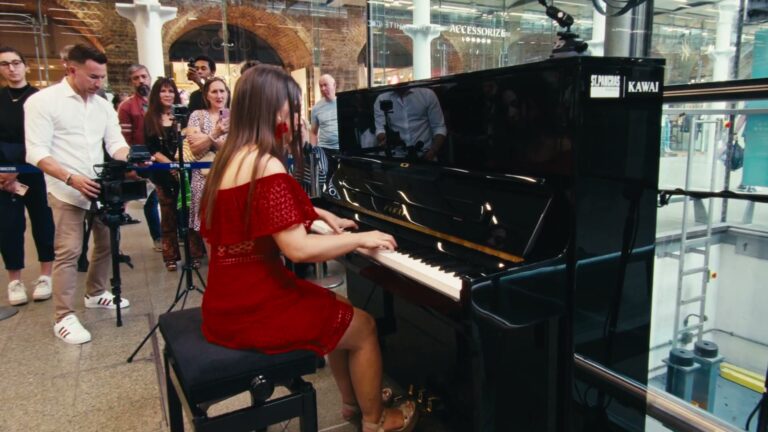
Kawai UK needed 104 films and had the budget for one filming day. We wrote every script first, then filmed all 104 in eight rooms with two crews.