11th October 2023
Last updated: 8 May 2026 · By Luke Lv, Director, Lumira Studio
Video marketing tools change quickly. The categories do not. Most marketing teams overbuy in some areas and underbuy in others, often because tool selection is shaped by what is familiar rather than what matches the workflow. This is the practical landscape of video marketing tools, organised by what each one is for and how to choose, with current recommendations.
The categories that actually matter
Most video marketing operations need tools across six functions:
- Production (filming and capture)
- Editing and post-production
- Hosting and embedding
- Distribution and scheduling
- Personalisation and sales-team video
- Analytics and measurement
Each has free, mid-tier, and premium options. Most teams need 4-6 tools spread across these categories.
Production tools
| Tool | Use | Pricing |
|---|---|---|
| Smartphone (iPhone/high-end Android) | 4K video for in-house production | Already owned |
| Mirrorless cameras (Sony Alpha, Canon EOS R) | Quality jump for serious in-house work | £1,000-£3,000 |
| Lavalier microphones (Rode Wireless GO, DJI Mic) | Clean audio capture | £150-£400 |
| LED panel lighting (Aputure Amaran, Godox) | Three-point lighting kits | £300-£800 |
| Tripod (Manfrotto, Benro) | Stable footage | £80-£300 |
Editing and post-production tools
| Tool | Best for | Pricing |
|---|---|---|
| DaVinci Resolve | Professional editing, colour grading, sound. Free version is genuinely competitive. | Free / £225 one-off (Studio) |
| Adobe Premiere Pro | Industry standard, integrated with rest of Adobe ecosystem. | Subscription £20/mo+ |
| Final Cut Pro | Mac-only, fast, polished workflow. | £300 one-off |
| Descript | Edit video by editing the transcript. Game-changer for talking-head content. | From £15/mo |
| iZotope RX | Audio repair, dialogue cleanup. | £100-£600 |
| CapCut | Mobile-first editing for short-form social. | Free / paid tiers |
Hosting and embedding tools
| Tool | Best for | Pricing |
|---|---|---|
| YouTube | Public content, SEO, broad reach | Free |
| Vimeo Pro | Branded embeds, professional player, no ads | £10-£50/mo |
| Wistia | Sales enablement, detailed engagement analytics, lead capture | £100-£500/mo |
| Cloudflare Stream | Self-hosted-feel embedded video at scale | £5/1000 min |
Distribution and scheduling
| Tool | Best for | Pricing |
|---|---|---|
| Buffer / Hootsuite | Multi-platform social scheduling | £10-£100/mo |
| Later | Visual-first social scheduling | £15-£60/mo |
| TubeBuddy / VidIQ | YouTube optimisation and analytics | £10-£40/mo |
Personalisation and sales-team video
| Tool | Best for | Pricing |
|---|---|---|
| Loom | Quick async screen and webcam recording | Free / from £10/mo |
| Vidyard | Sales-team video with CRM integration | From £15/mo |
| Descript | Async video messages with editing power | From £15/mo |
Analytics and measurement
| Tool | Best for | Pricing |
|---|---|---|
| YouTube Studio Analytics | Comprehensive YouTube performance data | Free |
| Wistia Analytics | Detailed engagement on hosted video | Bundled with Wistia |
| Google Analytics 4 | Embedded video event tracking | Free |
| Vidyard Analytics | Per-viewer engagement on sales video | Bundled with Vidyard |
How to actually choose
Three principles for tool selection:
1. Match tools to workflow, not specifications
The “best” tool is the one your team will actually use. A team comfortable with Adobe Premiere should think hard before switching to DaVinci Resolve, even though Resolve is technically superior in some areas. Switching costs are real.
2. Reduce fragmentation
Buying every specialist tool adds maintenance overhead and switching costs between tools. A small set of well-chosen tools that cover most use cases beats a sprawling stack.
3. Tier the spend
Spend money where it visibly improves output (lighting, audio, post-production). Skimp where the user is the bottleneck (e.g. no point buying a £3,000 camera if the lighting is bad). Free tools (DaVinci Resolve, YouTube Analytics) are genuinely competitive in their categories.
A practical starter stack for in-house video
For a marketing team starting in-house video without an existing setup, this is a complete stack for under £2,500 plus subscriptions:
- Mid-range mirrorless camera or modern smartphone: £0-£800
- Wireless lavalier microphone: £150
- Three-point LED lighting kit: £400
- Sturdy tripod: £100
- Basic acoustic treatment for the recording room: £50
- DaVinci Resolve: free
- Miracue teleprompter, for anyone reading a script to camera: free (we built it for our own filming days)
- Descript subscription: £15/mo
- YouTube + Vimeo Pro hosting: £10-£20/mo
- Loom subscription for sales team: £10/mo per user
Frequently asked questions
What are the most important video marketing tools?
Six categories matter: production (camera, microphone, lighting), editing (DaVinci Resolve, Premiere Pro, Descript), hosting (YouTube, Vimeo Pro, Wistia), distribution (Buffer, social schedulers), personalisation (Loom, Vidyard), and analytics (YouTube Studio, Google Analytics 4). Most teams need 4-6 tools across these categories.
What is the best free video editing software?
DaVinci Resolve. The free version is genuinely competitive with paid alternatives for most professional editing work, including colour grading, sound, and visual effects. Adobe Premiere Pro and Final Cut Pro remain industry standards but are subscription-based.
What is the best video hosting platform?
Depends on the use case. YouTube for public content and SEO. Vimeo Pro for branded embedded video without ads. Wistia for sales enablement and detailed engagement analytics. Cloudflare Stream for self-hosted video at scale. Most professional teams use a combination.
What tools do I need for video marketing on a budget?
For under £2,500 plus subscriptions: mirrorless camera or smartphone, wireless lavalier mic, three-point LED lighting, sturdy tripod, DaVinci Resolve (free), Descript subscription, YouTube hosting, and a Loom account for sales team async video.
What is Descript and why use it?
Descript edits video by editing the transcript: cut a sentence from the text, the corresponding video is cut. For talking-head content, podcast video, and quick edits, this approach is dramatically faster than traditional timeline editing. Particularly useful for in-house marketing teams without dedicated editors.
How does Lumira Studio approach tool selection?
We use professional camera and post-production tools for client work (Sony cinema cameras, DaVinci Resolve, Pro Tools), and recommend matching tools to client workflows for in-house programmes. The right tool is the one the team will actually use, not the most expensive option in each category.
From the studio
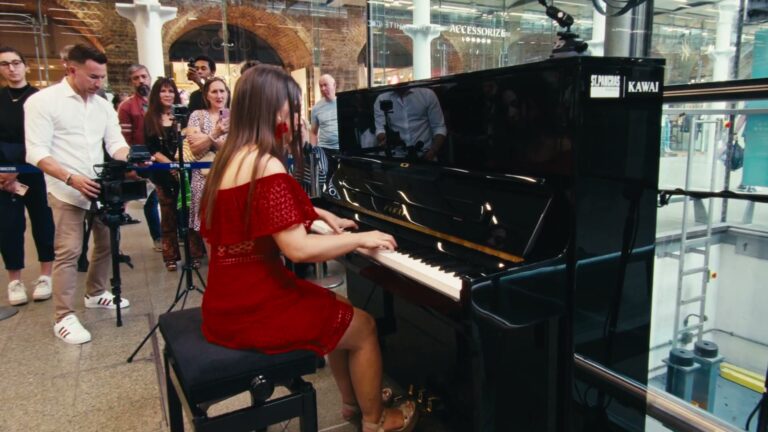
A year of content, filmed in one day.
Kawai UK needed 104 films and had the budget for one filming day. We wrote every script first, then filmed all 104 in eight rooms with two crews.