7th August 2026
The backup looked fine. The footage was still gone.
I was in Lyon filming for a business school. At the end of the day, I went back to the hotel room, connected the cards and copied the footage to an SSD.
It was the sort of thing I had done many times before. I opened a few clips to make sure they played. They did. I left the copy running and went down for dinner.
Back in England, those cards were reused on the next job.
A few days later, I sat down to start the edit. The morning footage was there. Then I got to the afternoon.
The folder structure was still on the drive, but the footage from one card was not.
I checked again. The files were gone.
We never found out exactly what happened. The copy had appeared to complete, and the clips I checked at the time had opened normally. But by the time I discovered the problem, the original card had already been formatted and used again.
There was nothing to go back to.
It was a nightmare.
That experience changed the way I think about backing up camera cards. The important question is no longer simply, “Did I copy it?” It is, “Have I proved that the copy on the destination drive is actually there and correct?”
Why can a copy that looks fine still be broken?
A normal file copy can finish without proving that every file written to the destination is identical to the source.
That is the part I had misunderstood.
Before Lyon, I thought a sensible check was to open a few clips after copying. If the folders looked right, the file count seemed about right and a few clips played, I felt comfortable formatting the card.
The problem is that a spot check only proves that those particular clips can be opened. It says nothing about the rest of the card.
A folder structure can also look completely normal while files are missing. That was exactly what I saw when I came back to the footage from Lyon.
For video and photo work, this matters because the problem may not appear while the card is still sitting beside you. You may only discover it days later, when somebody starts editing, transferring or archiving the job. If the card has already been reused, the original is no longer your safety net.
One thing I have learned is that “the copy finished” and “the copy has been verified” are two different things.
What does a verified backup actually mean?
A verified backup means reading the copied files back from the destination drive itself and comparing them with the original files on the card.
The important part is the read-back.
If software calculates information from the source but never reads the finished files back off the destination drive, it has not checked what is actually sitting on that disk.
With Stow, the copy happens first. Once that has finished, Stow runs a separate verification pass. It reads every file back from each destination drive and checks it against the source, byte for byte.
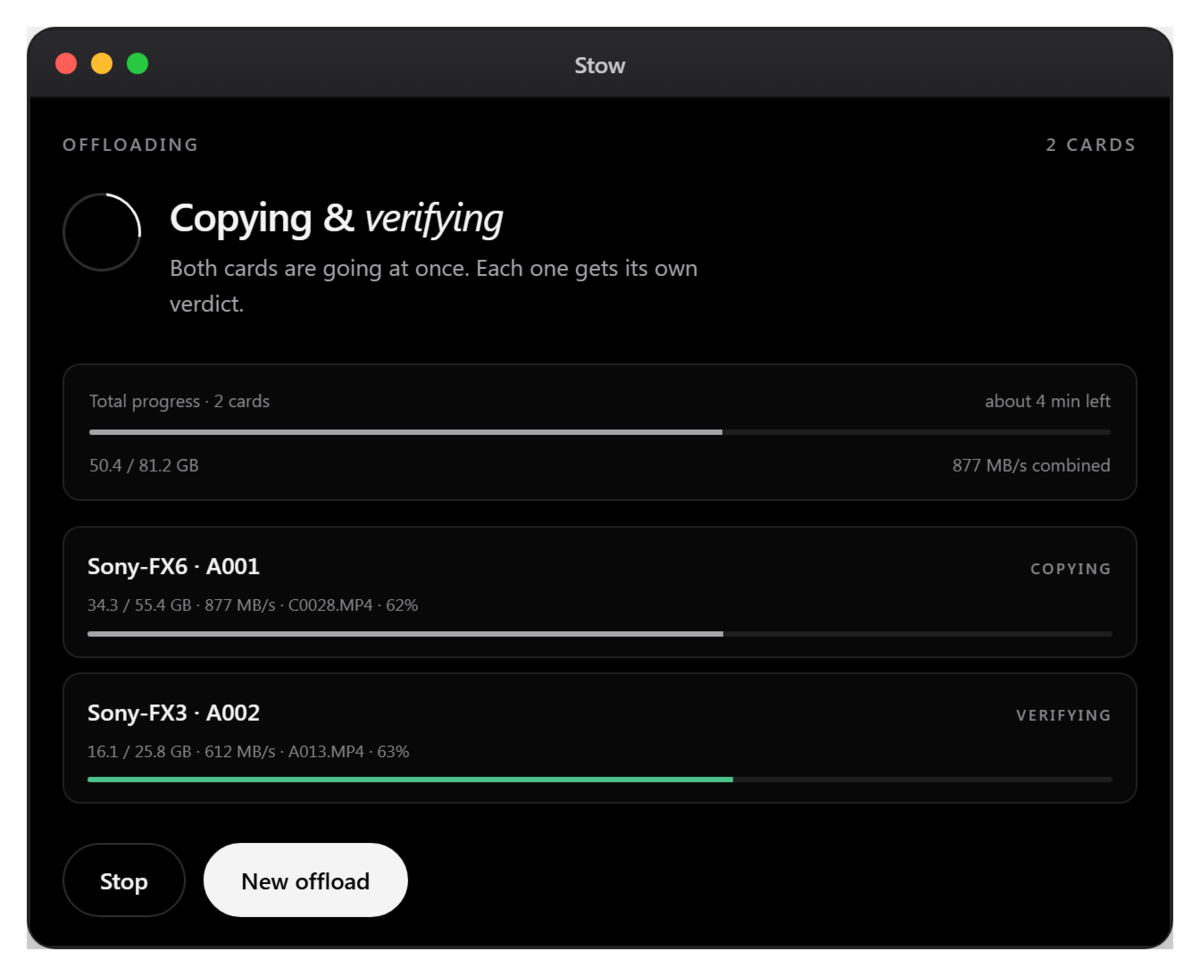
Underneath that process, Stow uses xxHash3-128 checksums. A checksum is simply a way of creating a digital fingerprint for a file. If the source and destination produce the same result, Stow can confirm that the copy it read back matches the source.
You do not need to understand the checksum itself to use the app. What matters is that the verification is based on the data read from the destination drive, rather than assuming the copy succeeded because the operating system reported that it had finished.
Stow also writes an ASC MHL v2 manifest and a checksums.csv file beside the footage. That gives the offload a record which can be used later.
There is also a “Check an archive” function. Months after a job, you can point Stow at an offloaded folder and it will verify the files against that manifest again, naming anything that is missing or corrupted file by file.
For me, that is what “verified backup” should mean in practical terms: the files have been written, read back from the destination and checked against the originals.
What rule do we now shoot by?
We do not format a camera card until we have two verified copies on two separate drives.
That is now the rule.
There are broader backup principles such as 3-2-1, especially once footage moves into longer-term storage. But during a shoot, I wanted something very simple that the person handling the cards could follow under pressure.
Two separate drives. Both copies checked. Then, and only then, is the card ready to be reused.
The reason for two drives is straightforward. Verification proves that a copy is correct at that moment. It cannot make a physical drive immune to failure later. Having the same verified footage on two separate drives gives us two independent copies before we give up the original card.
We also wanted the decision to be obvious.
On a long production day, there may be several cards coming in, people asking questions and another camera waiting for media. Nobody wants to inspect logs and interpret technical messages before deciding whether a card is safe to format.
The offload needs to answer that question clearly.
Why did we build Stow?
We built Stow because we wanted our own card-offload process to end with a clear verdict rather than a judgement call.
Stow is a free desktop app for macOS on Apple Silicon and Windows, made by our team at Lumira Studio in Hertfordshire.
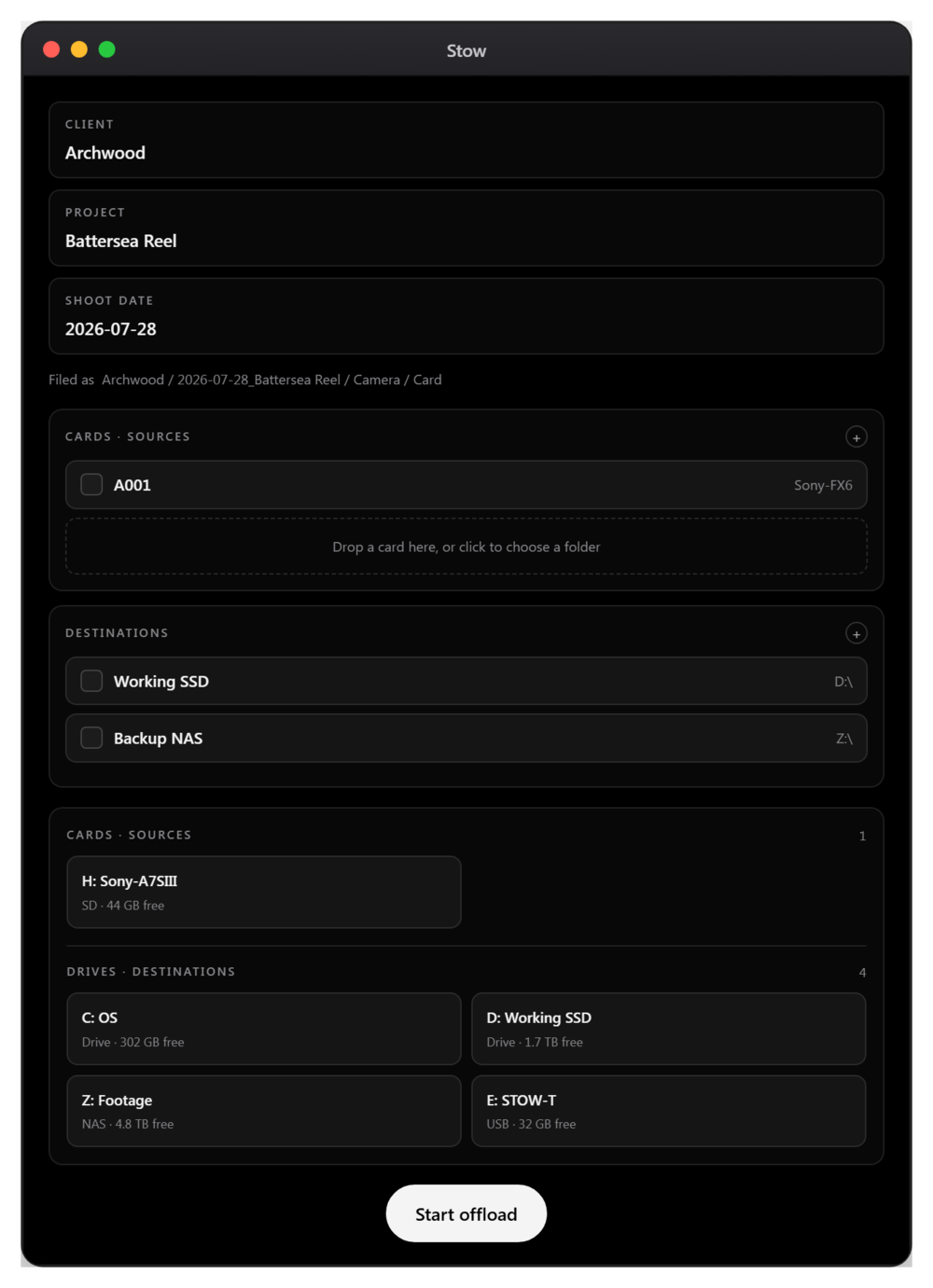
You insert a card and choose two destination drives. Stow reads the card once and writes the footage to both drives. After the copy finishes, it runs the separate verification pass on each destination.
Then it gives the card a simple status.
Green means there are two verified copies on two separate drives, so the card is safe to wipe.
Amber means only one verified copy exists. There is a copy, but our two-copy rule has not been met.
Red means a copy did not check out. Nothing should be wiped.
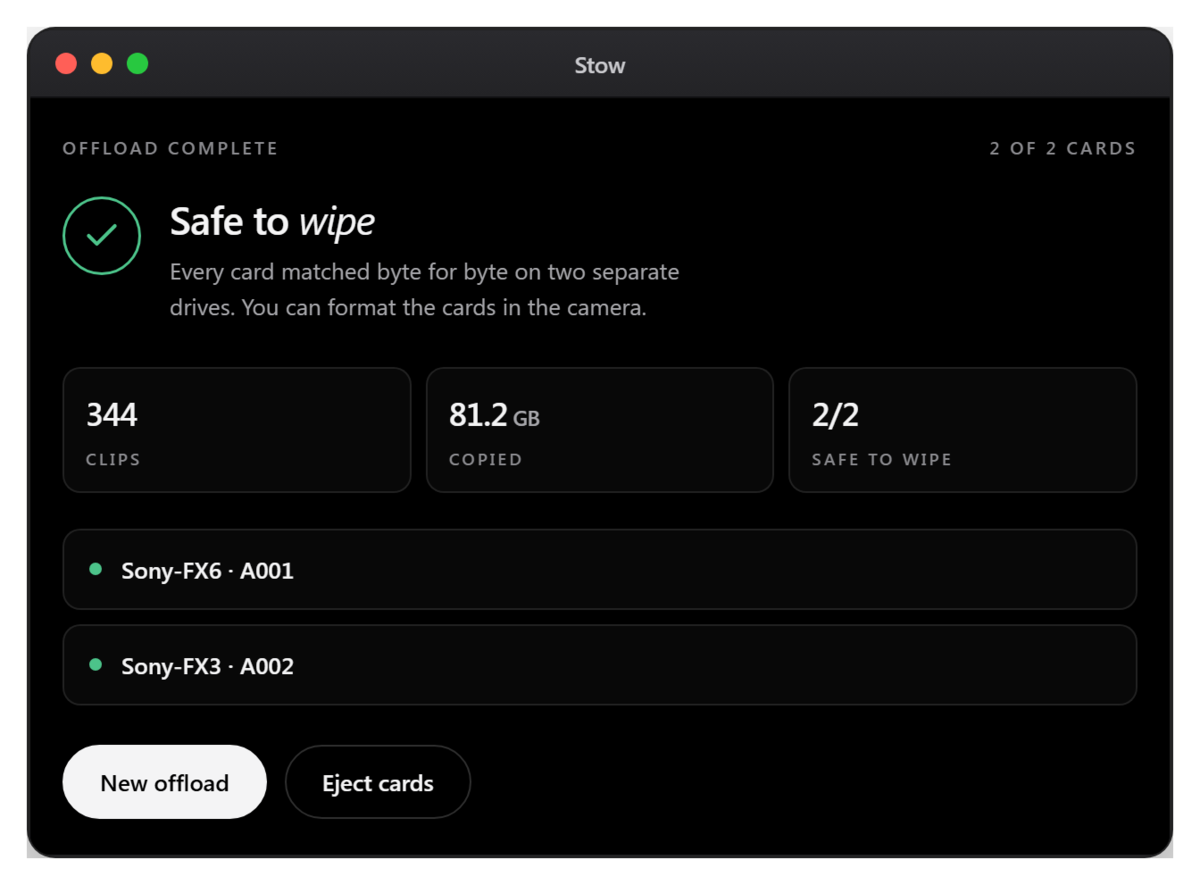
That verdict is really the reason the app exists. We wanted to remove the moment where somebody looks at a folder, opens a clip or two and decides that it is probably fine.
Stow can offload and verify multiple cards in parallel, with a separate verdict for each one. It automatically detects cameras and puts footage into a consistent folder structure, and that detection happens locally on the machine.
Each offload also creates a one-page report on both destination drives. It can be printed to PDF if you need to hand an offload record to a client or keep it with the job.
There are a few other things we added because they solve problems we meet in real production. Resume can continue an interrupted offload from where it stopped. A phone alert can tell you when a long offload has finished. There is no account, no upload and no cloud involved, so the footage stays on the machine.
We also added an optional feature called Wrap. Once a card has been verified, Stow can mark it so the camera offers a fresh format the next time it is inserted. It is off by default and reversible with Unwrap. That is the only time Stow writes anything to a card. During normal offload and verification, the footage on the card is only read.
The established paid offload tools are good at what they do. We were not trying to pretend otherwise. We built Stow around the workflow we wanted for our own shoots: two destinations, a proper second verification pass, and a plain answer about whether the card is ready to wipe.
We made it free because we had already built it to solve our own problem, and we know other camera crews and photographers deal with the same decision.
Stow has since been covered by Newsshooter and PhotoRumors, which was encouraging, but the reason we continue working on it is the same reason we started: we use it ourselves.
If you want to try Stow, you can download it free for macOS and Windows.
If you use a general file copier such as TeraCopy for this job, it is worth knowing where a camera card asks for something different: filing by camera and card, writing to every drive in one pass, and a single verdict on whether the card can be formatted. We have since run TeraCopy and Stow against the same card and deliberately corrupted a file to see whether either of them would miss it.