9th November 2023
Last updated: 8 May 2026 · By Luke Lv, Director, Lumira Studio
Professional-quality training video does not require professional-level budgets. The gap between an embarrassing in-house training video and a broadcast-quality one is mostly about lighting, audio, and discipline, not camera price. With well-chosen kit and the right habits, a small in-house team can produce training video that looks and sounds like work from a dedicated production company. This is what to buy, in what order, and what corners not to cut.
The honest priorities for training video equipment
Before getting into specific gear, the order of investment matters more than the brand of any individual item. The pattern that holds across thousands of in-house production setups:
- Lighting. The single biggest visual quality lever. Most “amateur-looking” footage is a lighting problem.
- Audio. The quickest signal of professional vs amateur production. Viewers forgive imperfect picture far longer than imperfect sound.
- Camera support. A tripod or gimbal turns shaky footage into stable footage. More important than camera resolution.
- Camera body and lens. Yes, last. A modern smartphone with the first three handled produces better-looking content than a cinema camera with the first three skipped.
- Edit workstation and software. Where the work comes together.
Spending the first £500 on lighting and audio gives you more visible quality improvement than spending the first £500 on a camera.
Cameras: what actually matters for training video
For most in-house training video, three options cover the field:
DSLR and mirrorless cameras
The default for serious in-house production. Larger sensor than a phone, interchangeable lenses, manual control over exposure and audio. Sony, Canon, and Panasonic mirrorless bodies in the £800-£2,000 range are more than enough for any training video work. Look for 4K recording, decent autofocus, and a good native lens ecosystem.
Dedicated video cameras
Camcorder-style bodies with built-in zoom, longer continuous record times, and better in-camera audio. Useful for live event recording, long lectures, and multi-camera classroom setups. Less useful for cinematic look or short-form content.
Smartphones
Underrated for training video. A modern iPhone or high-end Android shoots 4K, has serviceable autofocus, and produces clean footage in good light. With an external microphone and a small light, a smartphone-based setup can produce work that is genuinely indistinguishable from DSLR footage on a viewer’s phone screen.
Camera specs to actually pay attention to
- 4K recording. Standard now. Allows for cropping, repositioning, and reframing in the edit without quality loss.
- Manual exposure control. Auto-exposure that “breathes” mid-take is the most common cause of unusable footage.
- External microphone input. Built-in camera microphones are not adequate for any serious training content.
- Continuous record time. Some cameras stop at 30 minutes. For long-form training, check this before buying.
- Battery life and dual battery slots. Mid-shoot battery changes interrupt subjects and waste time.
Camera stability
Stable footage is non-negotiable for professional output. Three options, in increasing complexity:
- Tripod. The default for talking-head, demonstration, and screen-recording-with-camera setups. A £80-£150 tripod is enough for almost any training video work.
- Monopod. Useful for fast-moving environments where a tripod is impractical.
- Gimbal. For motion shots. Requires practice to operate well, otherwise produces a different kind of unstable footage. Optional for most training video.
Audio: the equipment that makes the biggest visible difference
Audio is the underrated quality lever. Three categories worth investing in:
Microphones
- Lavalier (lapel) microphones. Clip to clothing, sit close to the speaker, deliver clean audio in any environment. The £80-£150 range is enough for most uses. Wireless lavaliers in the £200-£400 range remove cable management headaches.
- Shotgun microphones. Mounted on a boom or on the camera, pointed at the subject. Useful when a lavalier is impractical. £200-£500 for serious quality.
- USB condenser microphones. For voiceover work recorded at a desk. £100-£300 produces broadcast-quality voiceover with treated room acoustics.
Audio recording
For complex shoots, a dedicated audio recorder (like a Zoom H6) gives clean audio independent of the camera. For most in-house training video, recording into the camera with a good external microphone is enough.
Room treatment
Free or cheap, and high impact. Soft furnishings, carpet, curtains, or proper acoustic panels turn a reverb-heavy office into a broadcast-friendly room. Spend £50 on basic acoustic treatment before spending £500 on a camera upgrade.
Lighting: the highest-leverage investment
Three points of light handle most training video scenarios:
- Key light. The main source. LED panel with softbox or umbrella diffuser. £100-£300 for a quality unit.
- Fill light. Reduces shadow contrast on the side away from the key. Can be a second LED panel or a reflector.
- Back light. Separates the subject from the background. Optional but adds a clear professional polish.
Total cost for a competent three-point lighting kit: £300-£600. The visible quality improvement compared to office overhead light is dramatic.
Software for training video production
Three categories of software cover most needs:
- Edit: DaVinci Resolve (free), Adobe Premiere Pro, Final Cut Pro. Resolve is genuinely competitive with the paid options for most training content.
- Screen recording: Camtasia, ScreenFlow, OBS (free). For software walkthroughs and screen-based training.
- Audio editing: Audacity (free), Adobe Audition. For voiceover cleanup and audio sweetening.
The minimum viable training video kit
For a team starting from nothing, this is the kit that produces broadcast-quality training video for under £1,500:
- Mid-range mirrorless camera or modern smartphone: £0-£800
- Wireless lavalier microphone (or wired with cable management): £150
- Three-point LED lighting kit with diffusers: £400
- Sturdy tripod: £100
- Basic acoustic treatment for the recording room: £50
- DaVinci Resolve edit software: free
This is enough to produce work that is genuinely indistinguishable from output from a small production company on a viewer’s screen. The discipline in how it is used matters more than the next £1,500 spent on better equipment.
Frequently asked questions
What is the most important piece of equipment for training video?
Lighting, followed closely by audio. Most people instinctively prioritise the camera, which is the wrong order. A good camera in poor light with a poor microphone produces poor video. A modest camera with controlled lighting and clean audio produces professional video.
Can I produce training videos with a smartphone?
Yes, and well. Modern smartphones shoot 4K at quality good enough for training content. With an external lavalier microphone, a tripod, and one diffused light source, smartphone-based training video is genuinely competitive with DSLR-based output for most uses.
How much should I budget for in-house training video equipment?
For a starter setup that produces broadcast-quality output: £1,000-£1,500 covers camera, lavalier microphone, three-point lighting, tripod, and basic room treatment. Going beyond £3,000-£5,000 starts producing diminishing returns for most in-house training contexts.
Do I need a green screen for training video?
Almost never. Green screens are useful for specific creative effects but add complexity, take time to light correctly, and rarely improve the learning outcome. Default to filming in an actual location.
What software should I use for training video editing?
DaVinci Resolve (free) is competitive with paid software for most training video editing. For screen-based training content, Camtasia or ScreenFlow handle screen recording and editing in one tool. Adobe Premiere and Final Cut are mature alternatives if you already have a subscription.
If your presenters work from a script, you do not need to buy a teleprompter app. Miracue, which we built for our own filming days, runs free in the browser on a laptop or tablet.
How long should a training video be?
Match length to format. Microlearning: 60-180 seconds. Talking head explainers: 2-5 minutes. Demonstrations and scenarios: 3-10 minutes. Anything above 15 minutes usually performs better as a series of shorter videos.
From the studio
A year of content, filmed in one day.
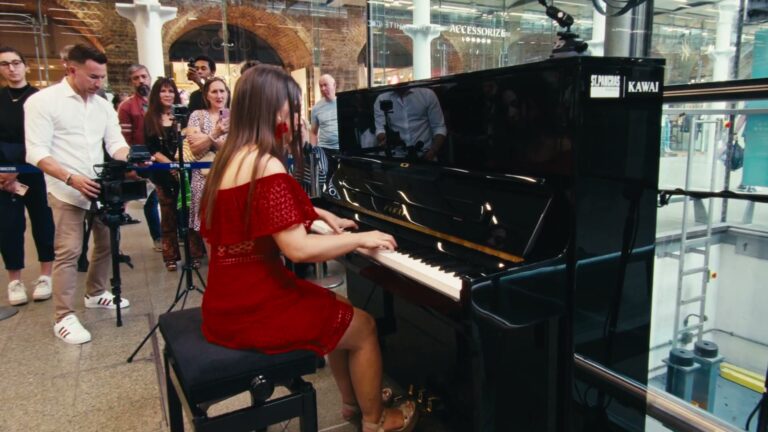
Kawai UK needed 104 films and had the budget for one filming day. We wrote every script first, then filmed all 104 in eight rooms with two crews.