16th July 2026
By Luke Lv, Founder, Lumira Studio. Updated August 2026 for Stow 0.6.
We are a video production studio, not a software company. We offload camera cards on real shoots, and we built our own free tool, Stow, because we wanted a simpler answer to one question: has the footage truly copied, and is it safe to wipe the card? This page is an honest look at the main options, including where the paid tools are genuinely worth their money and where a free tool is enough. We have tried to be fair rather than flattering to ourselves.
The one thing they all share
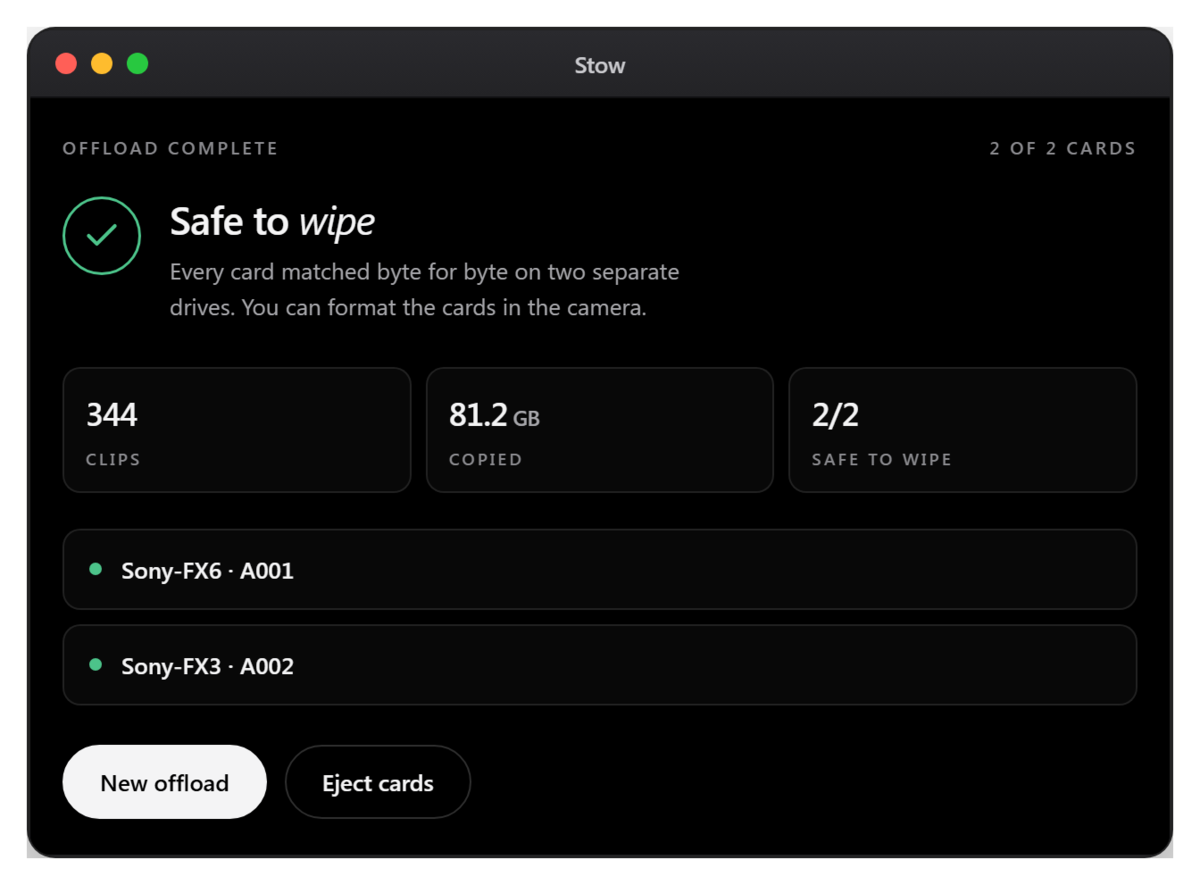
Every serious offload tool does the non-negotiable part: it copies your card to one or more destinations and verifies the copy with checksums (reading the data back to confirm it matches), rather than trusting the operating system’s “copy complete”. If a tool does not verify, do not use it for footage you cannot re-shoot. Every tool below verifies, and most write an ASC MHL manifest, the industry-standard file that lets any other tool re-check the same footage years later.
The comparison
| Stow | OffShoot (formerly Hedge) | ShotPut Pro | Silverstack (Pomfort) | Resolve Clone Tool | |
|---|---|---|---|---|---|
| Price | Free | $169 to $249, one-off per activation | One-off licence, updates extra | Yearly subscription, with short-term rentals | Free, inside DaVinci Resolve |
| Genuinely free version | Yes | No, trial only | No, trial only | No, trial only | Yes |
| macOS and Windows | Both | Both | Both | Mac only | Both |
| Verified, checksummed copy | Yes, xxHash3-128 | Yes | Yes | Yes | Yes |
| Reads the card once, writes two drives together | Yes | Yes | Yes | Yes | Limited |
| ASC MHL manifest | Yes | Yes | Yes | Yes | No |
| Plain “safe to wipe” verdict | Yes | No | No | No | No |
| Offload report for a client | Yes, a one-page report per destination plus a checksums.csv | Basic | Yes, the most thorough | Yes | No |
| On-set DIT features (proxies, cascading copies, colour) | No | No | Some | Yes, full | No, though Resolve itself does the rest |
| Best for | Anyone who wants free, verified offload with a plain go or no-go answer | Solo shooters who want speed and polish | Productions that need thorough paperwork | Full on-set DIT workflows and high-volume days | Editors already living in Resolve |
Prices were checked in August 2026 and are quoted for shape rather than precision, because they move. Check each vendor’s current pricing before you buy.
Where the paid tools are genuinely worth it
- ShotPut Pro – if you need to hand a client or a production the fullest offload report (file manifest, timecode, codecs, a thumbnail per clip), its reporting is the most thorough of the lot. Worth paying for on productions where that paperwork matters.
- Silverstack – if you are a DIT running a full on-set cart, with cascading transfers to several drives and colour work alongside the offload, it is in a category the others are not. It is priced for professionals who need exactly that, and Pomfort also sells short-term licences for a single job.
- OffShoot – if you want the fastest, most polished solo-shooter experience, it is excellent and well supported. The licence is perpetual rather than a subscription, and there is a 30-day project rental if you only need it for one shoot.
We would rather point you to the right paid tool than pretend free beats them at everything. It does not.
Where Stow (free) is enough
If what you need is: copy the card to two drives, verify every file, and get a plain answer on whether it is safe to wipe, Stow does exactly that, on macOS and Windows, for free, with no account. For a lot of shooters that is the whole job. The part we focused on is the part that actually causes disasters, which is not whether it copied but whether you can trust the copy enough to wipe the card. Stow only shows the green “safe to wipe” verdict when two verified copies exist on separate, independent drives.
Every transfer also writes a one-page report to each destination, stating what was copied, what was verified and the verdict. It prints straight to PDF, so it can go to a producer as it is. Beside it sits an ASC MHL v2 manifest and a checksums.csv you can open in a spreadsheet, which means another tool can re-verify the same footage in five years without Stow being involved at all.
What changed in Stow 0.6
Stow was covered by the filmmaking press in July 2026, and most of what has shipped since came out of the comments under that coverage and from our own shoots. The current release is 0.6.17. The changes worth knowing about:
- Both builds are now signed and notarised. There is no security warning to click past on either macOS or Windows, and updates install from inside the app.
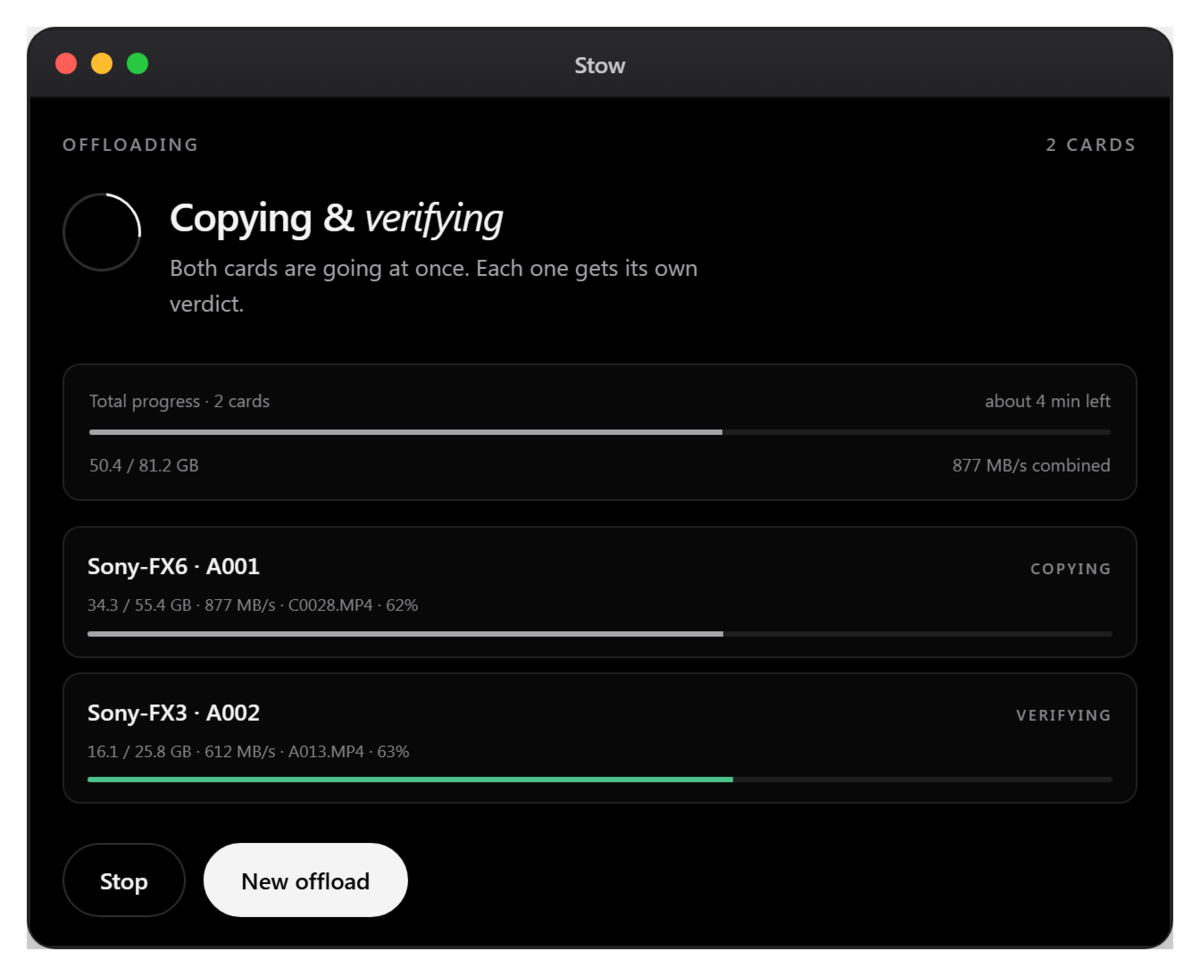
- Cards offload in parallel. Three cards in means three copying and verifying together, each with its own live row and its own verdict.
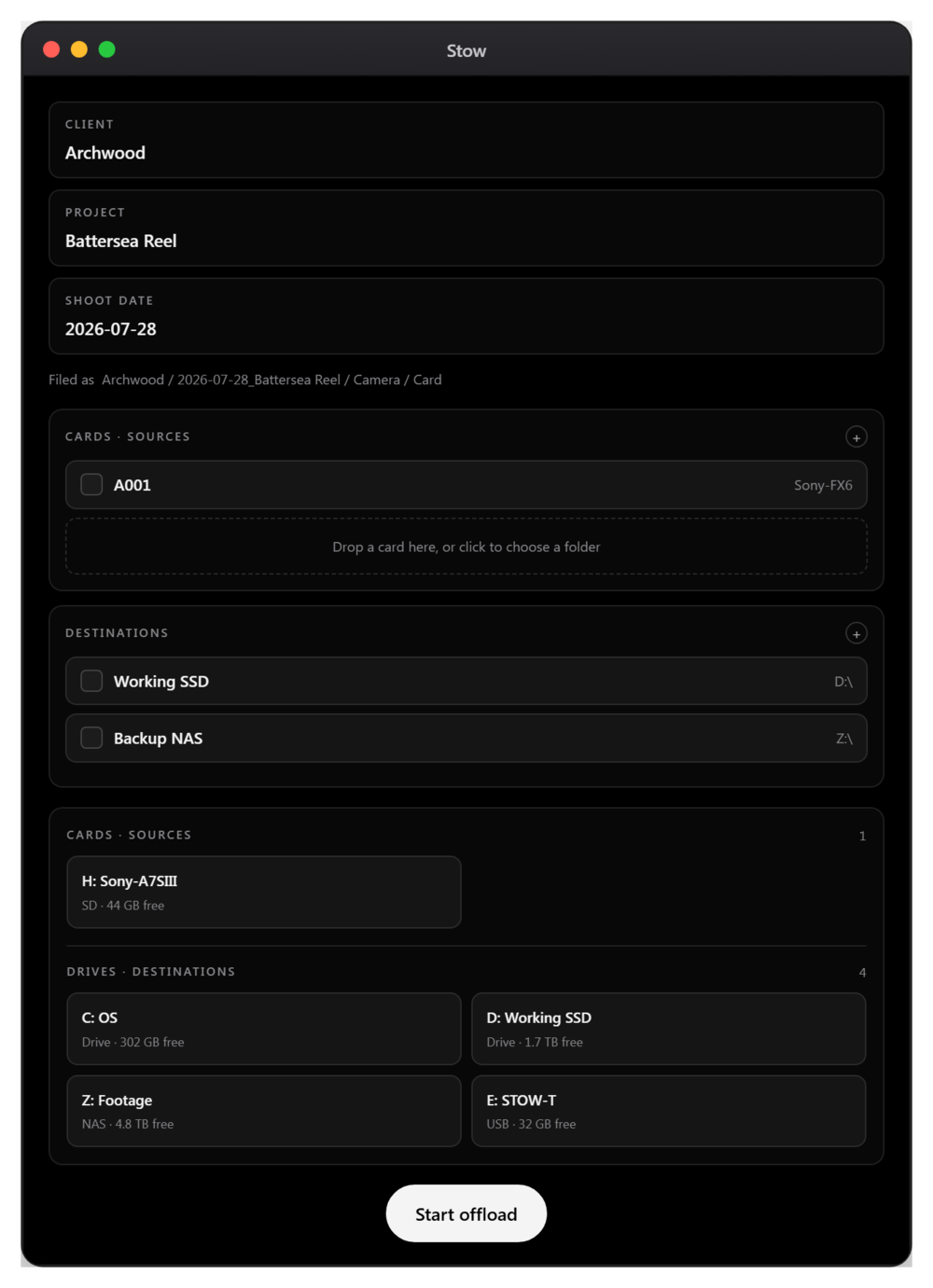
- The disk tray separates cards from drives. With several drives permanently plugged in, an arriving card no longer disappears into one long list.
- Wrap. Once a card is verified on two drives you can wrap it, and the camera offers a fresh format the next time it goes in, so finished and unfinished cards stop looking identical in the pouch. It is off by default, it is fully reversible with Unwrap, and left off Stow never writes to a card at all.
- A note on your phone when a card finishes. Optional, off until you set it up, and useful when a long offload means walking away from the machine.
- Client and Project are now optional, with folder layout presets, so a solo shoot can file as Date, Camera, Card without clearing fields every time.
- A cloud folder as a destination is flagged before the run starts, because a Dropbox or Google Drive folder is written to this computer first and uploaded afterwards, so it is not a second physical drive at the moment the verification passes.
The plain-English guide explains how the verification actually works, and the changelog lists every version and what changed in it.
Why a video studio gives this away free
Stow came out of losing an afternoon of footage that we thought had been backed up. The copy had finished, a spot check had passed, and the files were still gone by the time we sat down to edit. Since then nothing gets wiped in our studio until every file has been read back and verified on two separate drives, and Stow is that rule turned into a tool.
We made it free because plenty of other crews are dealing with exactly the same thing, and once the tool exists there is very little cost in letting them use it. There is no paid tier behind it and no subscription coming. Stow is here, free, for macOS and Windows.
Going deeper on the individual tools
This page sets the offloaders side by side. If you are weighing up one tool in particular, these two go further.
- ShotPut Pro alternatives: what working crews actually use. What ShotPut Pro, OffShoot and Silverstack each cost in 2026, verified from their own pricing pages, and where each one earns its money.
- TeraCopy vs Stow on a Mac: we put both through the same test. We ran both against one camera card and deliberately corrupted a file to see whether either would miss it.
- TeraCopy, camera cards, and the tool we ended up building. Why a general file copier is not a card offloader, and the thinking behind keeping Stow free.

From the studio
A year of content, filmed in one day.
Kawai UK needed 104 films and had the budget for one filming day. We wrote every script first, then filmed all 104 in eight rooms with two crews.