15th July 2026
Every email your business sends ends with a signature. Most of the tools that create them are free, but the limits vary. Some require an account, some add branding, some restrict editing or export, and some simply produce better email code than others.
We rebuilt our own free signature generator this summer. While doing it, we also looked closely at everything else on the market. So this article is what we found when we checked the market in July 2026. HubSpot was re-checked in August after its generator changed.
One thing before we start: we make one of the tools in this comparison. We have kept it factual, and everything here is something you can check yourself in a few minutes. Still, you should read it knowing who wrote it.
What actually matters in a signature tool
Four things decide whether a signature tool is any good. None of them is the number of templates.
- The output has to survive real inboxes. Classic Outlook for Windows still uses a Word-based HTML processing engine, which supports less modern CSS than web-based mail clients. A signature built with fancy layout code looks perfect in the preview, yet collapses in the inbox. Because of that, the safe approach is old-fashioned: simple tables, styling written inline, and images hosted at a public address.
- Free should mean free. In other words: no account, no watermark you cannot remove, and no expiry on your ability to edit what you made.
- It should respect your details. A signature contains your name, phone number and email address. So it is worth knowing where that information goes when you type it in.
- Dark mode is worth checking. Many recipients use it, so it helps if the tool gives you a way to see how the signature behaves on a dark background.
HubSpot: the strongest of the free options
HubSpot’s free generator is the best known of these tools, and as of August 2026 it is one of the strongest free options. The editor is good: twelve templates, brand colours, custom call-to-action buttons, and a tidy live preview.
It works properly on a phone. Your details are still there when you come back to it, even after closing the browser. There is no account and no email address needed; it asks how many people work at your company and nothing else. When you have finished, you can send the signature straight on to colleagues.
Two things are worth knowing before you start. A “Created With HubSpot” link is switched on by default, though it is clearly marked and takes one click to turn off. In the version we tested in August 2026, the finished signature was offered as an HTML download. HubSpot’s own current documentation also describes copy options, so the exact export controls may vary as the tool changes.
We used to list several drawbacks here, including no mobile support and losing your work on a page refresh. HubSpot have fixed them, so we have taken them out.
Letsignit: a different kind of product altogether
Letsignit often appears in the same search results, but it is not really a generator. Instead, it is central signature management. It connects to Microsoft 365, syncs with your staff directory, and lets IT and marketing update signatures for the whole organisation at once. Campaign banners and click analytics sit on top.
Pricing starts at around 2 dollars per user per month, billed annually. There is a free trial, but no free tier.
For an organisation of fifty people or more, this category is the honest answer, and Letsignit and Exclaimer’s paid platform are the names to shortlist. For an individual or a small team, however, it is more machinery than the job needs.
The rest of the field, quickly
The remaining tools sort into three honest groups. As of July 2026:
Genuinely free, no account needed
- Exclaimer’s free generator is respectable with a smaller feature set; it exists to introduce the company’s paid enterprise platform.
- Zoho’s signature tool is free with no strings we could find and no sign-up. The trade is simplicity: four templates and basic styling.
- Mail-Signatures.com (by CodeTwo) offers a large library of fill-in templates on the same introduce-the-platform basis.
Free tier, but behind an account
- WiseStamp and MySignature both require an account, and both add their own branding to free signatures.
- MySigMail gives one free signature with the tool’s branding on it; removing the branding starts at 2.99 dollars a month.
- SyncSignature gives one free signature per account; its real product is automatic team deployment at 2 dollars per user per month.
- signature.email lets you start designing without an account. Exporting, however, requires one, and the templates that make it interesting sit behind a 19 dollar one-time purchase. Its team “generator links” are a genuinely good idea.
- si.gnatu.re is quick and pleasant, but free signatures stop being editable after thirty days.
Free as a doorway to something else
- HoneyBook’s generator is fast. The catch: the finished signature is delivered only by email, so your address is the price of export.
- Designhill requires registration before you can export. Its own landing page also implies that free signatures carry Designhill branding.
- Newoldstamp is really a paid team-signature platform. The advertised free generator routes through account sign-up, and its own pages list branding removal among the paid benefits.
- Gimmio advertises a free generator with impressively deep design control. Yet its own pricing page lists no free plan, and we could not complete a free export when we tried.
- Canva produces a picture of a signature rather than a proper signature. Individual links are not clickable, and when images are blocked, the whole thing vanishes.
Ours: the Lumira email signature generator
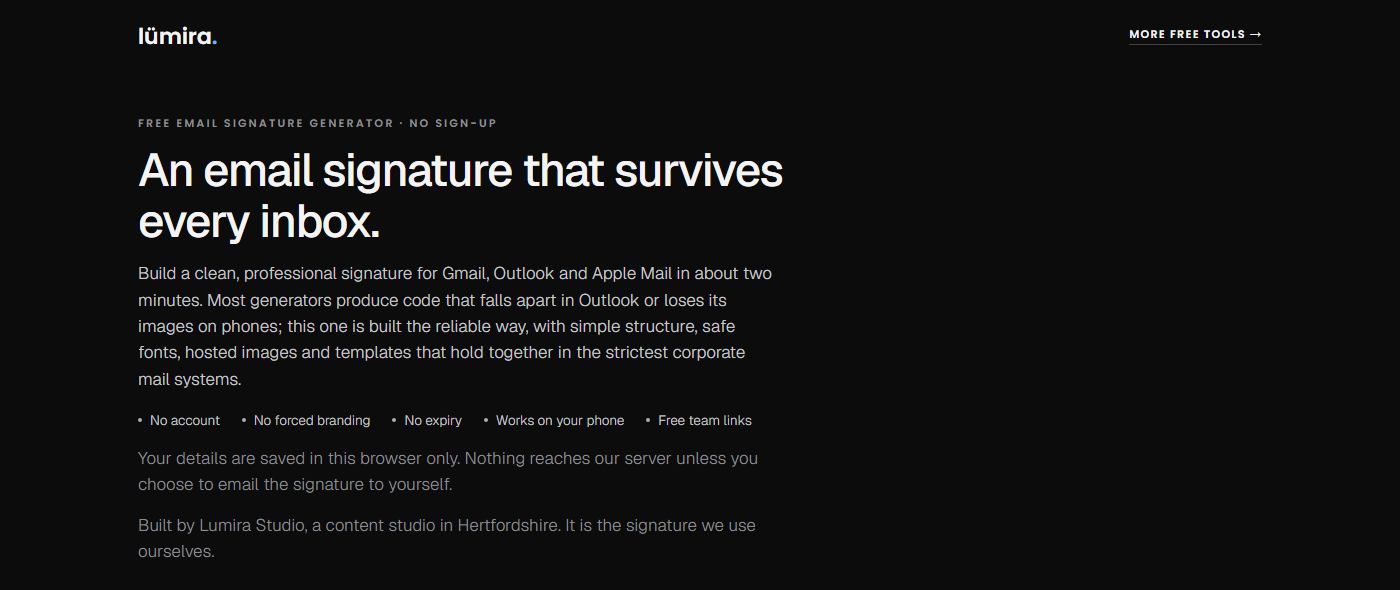
We built our generator because the email signature is one of the easiest wins we find in client brand audits, and we wanted a tool we could hand to anyone without caveats. It is free with no account, and nothing expires. Your details stay in your browser, too: the only time anything reaches our server is if you choose to email the signature to yourself.
Built for real inboxes
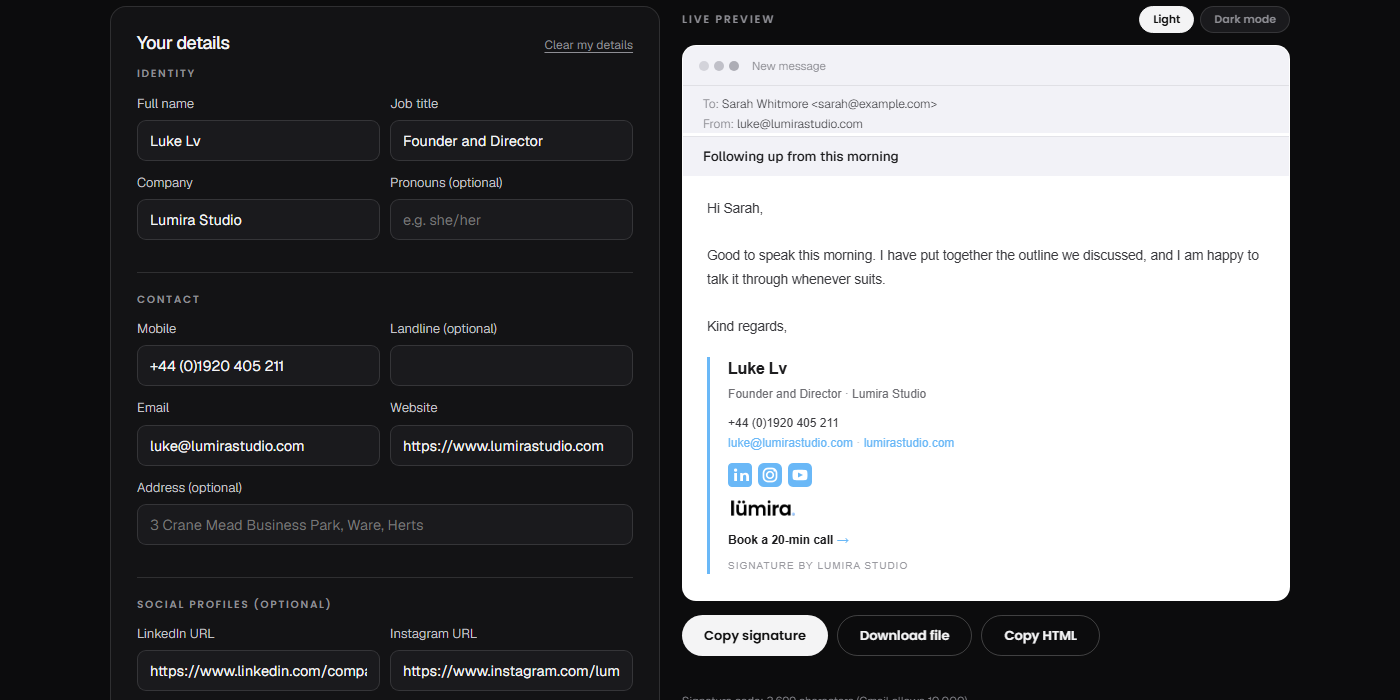
The design decisions are the deliverability rules from earlier, applied without exception. Every signature it produces uses simple table structure, inline styling and properly hosted images. That is why it holds together in desktop Outlook, Gmail and Apple Mail.
Meanwhile, the live preview sits inside a mock email window, so you see your signature the way a recipient will. A dark mode button shows how mail apps will lighten your text before you commit.
Five templates, one careful default
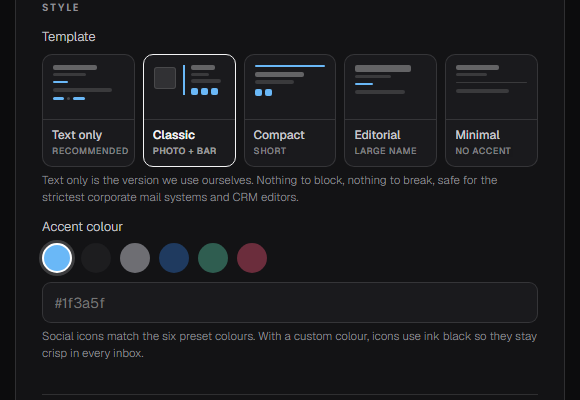
Five templates cover the sensible range: from a text-only version that survives the strictest corporate mail systems and CRM editors, to a classic layout with photo, logo and social icons.
Text only is the default, and the reason matters if you sell to large organisations. Banks, consultancies and other security-conscious corporates commonly strip or quarantine images and unfamiliar links before an email reaches the inbox. As a result, a signature built around a logo and an icon row can arrive as a scatter of empty boxes. A text-only signature has nothing to strip, so it arrives exactly as you sent it.
We learned this the practical way, by emailing those organisations. If your clients are smaller and less locked down, the richer templates and the campaign banner are there to be enjoyed.
Once you are done, you can copy the result, copy a matching short version for replies, or download it as a file. The tool also works on your phone. It adds a small “Signature by Lumira Studio” credit by default; one tick removes it, and nothing nags you afterwards.
Two features we have not seen free anywhere else
First, a team link lets you fill in the shared company details once, then send colleagues a link that opens the tool ready-made. In practice, a small business gets consistent signatures without a subscription.
Second, every signature you email to yourself includes a link that reopens the tool with your details already filled in. So you can edit it from any device, months later, without an account. Between them, these two turn a chore you would otherwise redo from scratch into something you do once.
We use it for our own signatures, which is the simplest quality promise we can make.
Side by side
| Lumira | HubSpot | WiseStamp | Canva | Letsignit | |
|---|---|---|---|---|---|
| Free to use | Yes | Yes | Free tier | Free tier | Trial only |
| Account needed | No | No, one question about company size | Yes | Yes | Yes |
| Remembers your work | Yes, automatically | Yes | With an account | With an account | With an account |
| Branding on free signatures | Optional credit, one tick removes it | Promo link on by default, clearly marked switch | Added on free plan | None, but output is an image | Not applicable |
| Works on phones | Yes | Yes | Yes | Yes | Managed centrally |
| File download | Yes, plus copy buttons | HTML download in the version we tested | Paid | Image only | Not applicable |
| Team rollout | Free team links | Team signatures supported | Paid | No | Yes, its core product |
Whichever tool you use, keep the signature itself simple
A good signature is unfussy and intentional. It needs a clear name, a role and business on one line, one contact method you actually want people to use, one brand element, and at most one call to action.
Most signatures are improved by subtraction. In short, if yours has eleven social icons and a disclaimer longer than the email, the tool matters less than the edit.
The verdict
If you are a larger organisation that needs signatures deployed centrally, pick the right category. That means a managed platform like Letsignit or Exclaimer, and you should expect to pay per user.
If you are an individual, a freelancer or a small team, HubSpot’s tool and ours will both do the job well, and the gap between them is a good deal smaller than it was when we first wrote this.
Ours may still suit you better in a few situations: if you want to email yourself a link that reopens the tool with your details already filled in, if you need a signature that holds together in the strictest corporate mail systems, or if you would rather copy straight to the clipboard than open a downloaded file. Some people also prefer the leaner look of ours, where HubSpot’s templates sit a little heavier on the page. That last one is a matter of taste rather than quality.
Try it in about two minutes: the Lumira email signature generator. If HubSpot’s suits you better, use theirs. Either way you will end up with a signature that behaves itself.

From the studio
A year of content, filmed in one day.
Kawai UK needed 104 films and had the budget for one filming day. We wrote every script first, then filmed all 104 in eight rooms with two crews.