13th August 2026
HubSpot give away a free email signature generator, and it is one of the better free tools on the internet. There is no account and no email address needed. It asks how many people work at your company, and then it lets you build.
This page is about getting a good result from it, because most signatures that go wrong do so for reasons no generator can fix. We build a lot of email signatures, including our own, so what follows is the practical version.
What the HubSpot email signature generator gives you
Twelve templates, your brand colours, a custom call-to-action button, and a live preview that updates as you type. It works properly on a phone, and your details are still there when you come back to it later, even after closing the browser. When you have finished, you can send the signature on to colleagues.
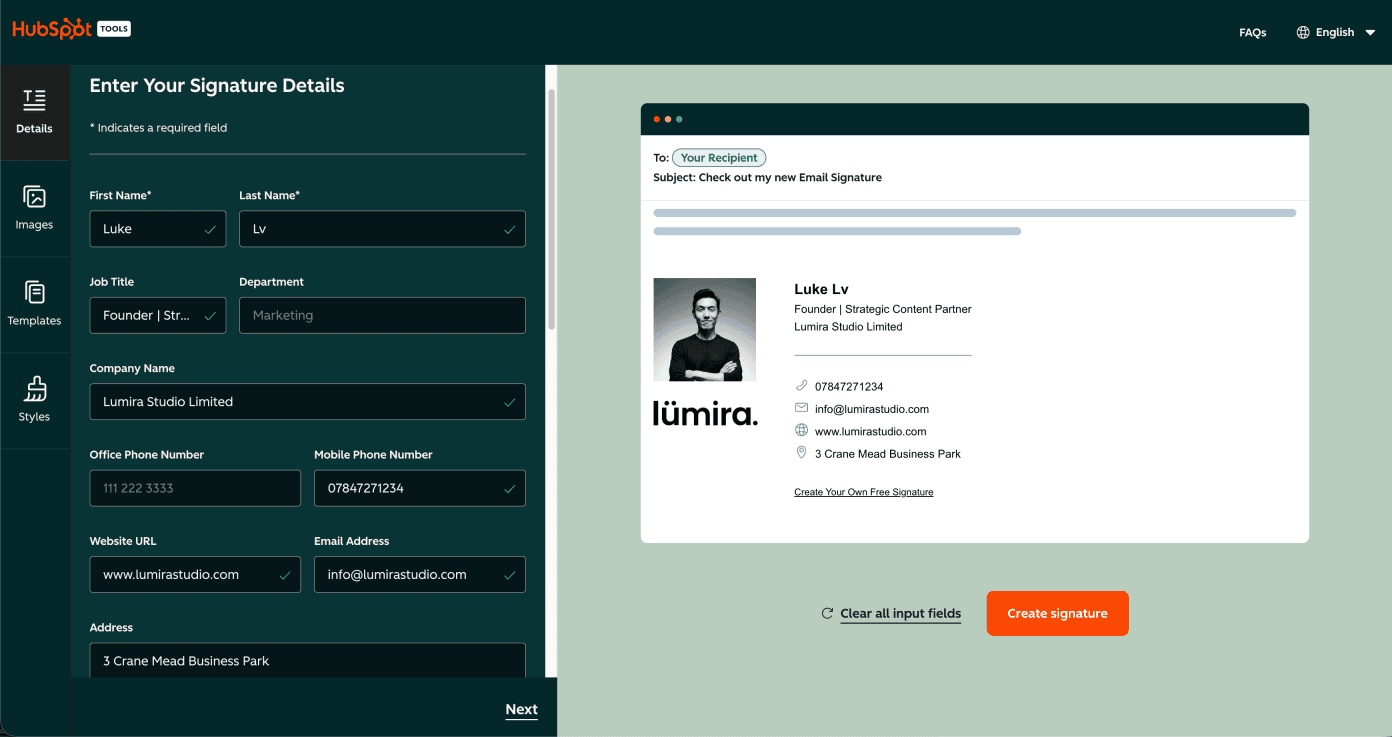
One setting is worth knowing about before you start. A “Created With HubSpot” link is switched on by default. It is clearly marked and takes one click to turn off, so turn it off unless you are happy advertising them.
In the version we tested in August 2026, the finished signature was offered as an HTML download. HubSpot also document copy options, so the export controls may vary between versions of the tool.
The part that decides whether it works
The generator is not usually what breaks a signature. These are.
Use a direct, publicly accessible image address. Share-page links, particularly from services such as Google Drive, may not render reliably in email. A proper image host, or an image served from your own website, is safer.
Do not make the whole signature one image. Some mail clients, security settings and corporate filters may block external images, so your name, role and contact details should remain selectable text.
Keep it compact. Name and title, company, one useful contact method and one useful link is often enough. Every extra line adds clutter, especially on a phone.
Check it in dark mode. Many mail apps offer a dark view, and logos designed only for a white background can look awkward there. Test the finished signature in both light and dark before you roll it out.
Paste it into the right place. Most “broken” signatures were pasted as plain text, which strips the formatting. In Gmail that means Settings, then See all settings, then the Signature box. Do not paste into a Word document on the way.
If you want something leaner
We built our own generator, mostly because we send a lot of email and wanted something we could hand to a client without caveats. It is free too, and there is no account.
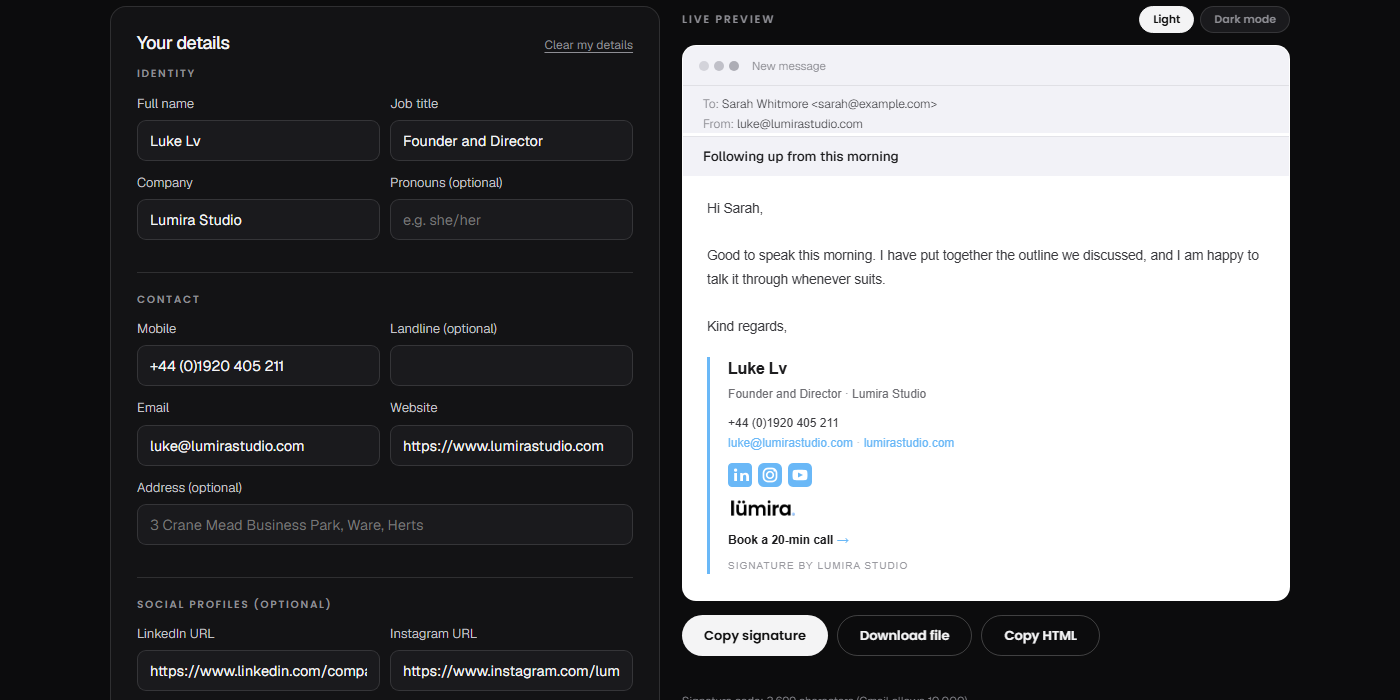
It is not dramatically different from HubSpot’s. The differences are mostly in how we prefer to work.
The look is leaner. HubSpot’s templates sit a little heavier on the page. Ours are plainer. That is a matter of taste rather than quality, and you can see both in about a minute.
You can copy straight to the clipboard, or copy the raw HTML, or download a file, whichever suits the mail app you are installing into.
Email it to yourself and the link reopens the tool with your details already in it. Useful when you are setting up on a different machine, or handing it to someone else to finish.
There is a text-only template built for stricter corporate mail systems. Simple structure and safe fonts mean there is less for a corporate filter or CRM editor to remove or alter. It is the version we use ourselves.
There is also a short version for replies, and a team link: fill in the shared details once, and each person adds only their own name and contact details.
Try the Lumira email signature generator
If HubSpot’s suits you better, use theirs. Both are free, and both will give you something respectable.
Why a video studio built an email signature tool
Video and photography is what we do for a living. The signature tool exists because we needed it, and it seemed worth leaving open to anyone else who did. If you want the full comparison, including WiseStamp, Canva and Letsignit, that is in our 2026 round-up, and there is more on what a signature says about a business. If the video side is ever useful to you, this is how we work.